
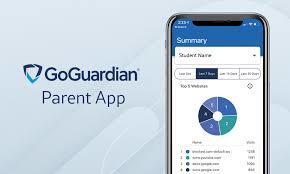
Welcome! Washington County Public Schools is piloting GoGuardian in our middle schools. GoGuardian is a mobile app designed to provide parents/guardians insight and control over their student’s online activity when on school-managed devices and accounts. First, the GoGuardian Parent app provides an overview of your children’s online activity on school-managed devices and accounts – this overview includes the apps, extensions, documents, and websites your student visited. Second, GoGuardian Parent provides you with an additional set of internet controls that you can set for out-of-school hours. GoGuardian Parent was created to help provide students additional educational support and is a companion to the classroom engagement and internet filtering tools that our school uses.
What is included in this app:
Top 5 overview of your student’s online activity
Any teacher interventions related to your student’s online activity
30-day overview of your student’s online activity
Ability to block websites on school-issued devices during out-of-school hours
Ability to pause internet access on school-issued devices during out-of-school hours, either on-demand or at a scheduled time
To protect student privacy and ensure that sensitive information is only accessible to verified parents and guardians, access to GoGuardian Parent requires both app installation and in-person contact verification. Parents/guardians must: Download the GoGuardian Parent app and visit their child’s school in person to verify contact information on file. This verification step helps ensure that student information remains secure and is only shared with authorized individuals.
To access the app, please follow the below instructions:
Download the app
Download via Apple Store
Download via Google Play Store
After the app is successfully downloaded and installed, open it up and enter the email address registered with the school. Note: if you forgot your registered email address, please reach out to your school administrator.
Login/Check Email: Check your email on your phone for a link to log in to the app. Tap the “Verify your email,” and it will take you straight to the app. Note: If you don’t have access to your email through the device you used to log in, tap on “Login with verification code”, and copy and paste the verification code from the email into the app.
To make this process easier, school staff will also be available during upcoming parent-teacher conferences to assist families with:
Verifying contact information
Downloading the GoGuardian Parent app
Logging in and completing setup
Parents and guardians are encouraged to bring their mobile device to conferences if they would like assistance.
If you have questions about the app or the verification process, please contact us at 276-739-3300 for more assistance.
Thank you.